A 40-minute video might have three minutes of information you actually need. Glarity's YouTube summary reads the transcript and turns it into a structure you can scan in seconds: key points, timestamped highlights, and a short FAQ generated from what's actually said in the video.
What you get on every video page
- Key points — a short list of the main ideas, generated from the transcript, not the title or description.
- Timestamped highlights — click a highlight and the video jumps straight to that moment.
- Auto-generated FAQ — common questions a viewer would have, answered from the video's own content.
- Subtitle translation — generate and translate subtitles for videos that don't have them in your language.
How it works
- Install the Glarity extension for Chrome, Edge, Firefox, Opera, or Safari.
- Open any YouTube video. A summary panel appears alongside the player automatically.
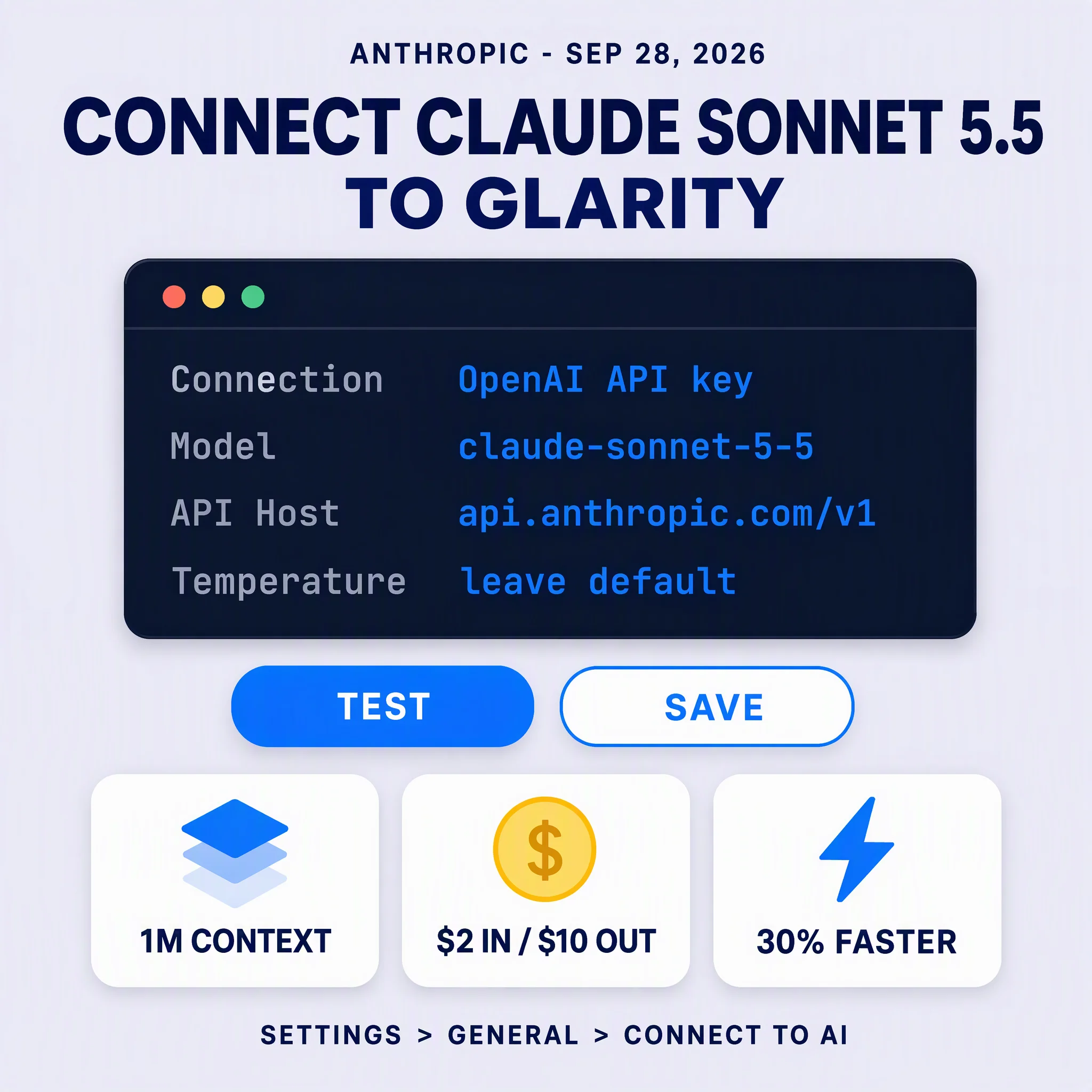
- Pick a model — Glarity supports ChatGPT, Claude, Gemini, and others — and the summary generates from the transcript.
- Click any highlight to jump to that timestamp, or ask a follow-up question about the video.
This works whether the video is a 10-minute tutorial or a three-hour conference talk. The longer the video, the more time the summary saves you.
The best summary tool is the one you forget you're using — it should just be part of how you watch.
Beyond YouTube
The same summarization engine powers Glarity's Google search summaries, so you get a synthesized answer above your search results, and article summaries for any webpage you're reading.