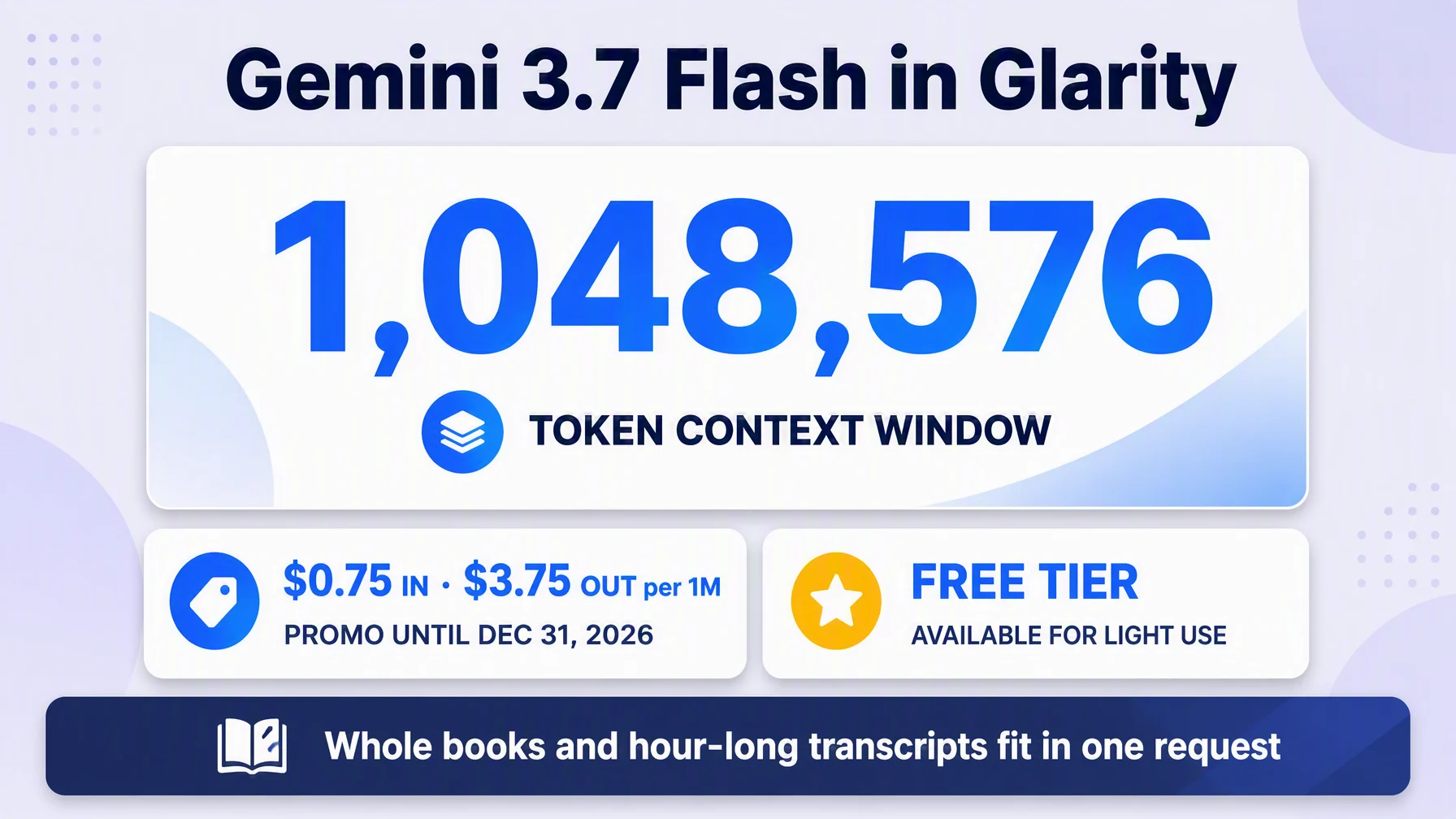
If the page you want to summarize is very long — an entire book chapter, a multi-hour video transcript — Gemini 3.7 Flash is the model for it: a 1,048,576-token context window that fits the whole thing at once. Wiring it into Glarity takes about five minutes: in Settings → General, choose OpenAI API key, paste a key from AI Studio, and fill in the model name, context window, API host and path using Google's official OpenAI-compatible endpoint. Then every Glarity summary and translation runs on Gemini 3.7 Flash.
Why Google's Flash tier
Gemini 3.7 Flash is Google's latest and most capable Flash model — the line built for high-volume, low-latency work. It takes text, images, video and audio as input (handy for YouTube content), keeps the whole transcript of a long video in one context, and is free tier available for light use plus promotional pricing through the end of 2026. That makes it one of the cheapest ways to get a million-token window.
What you need before you start
- A key from AI Studio — Google's official developer console for the Gemini API.
- The connection values below.
Configure Glarity step by step
Open Settings → General, scroll to Connect to AI for quick Glarity summaries and translations.
- Select "OpenAI API key".
- Paste your Google API key into the API Key field.
- Model — choose Custom Model and enter
gemini-3.7-flash. - Model Context Window — pick the preset nearest to 1,048,576 tokens (the official input limit). Long pages and full-hour transcripts fit comfortably.
- API Host —
https://generativelanguage.googleapis.com/v1beta/openai— Google's official OpenAI-compatible endpoint (the docs' own curl example uses it, withgemini-3.7-flashas the model). Google still describes this layer as beta; that's fine for reading and translation tasks. - API Path —
/chat/completions. - Temperature — 0.5. Standard parameters pass through the compatible endpoint; if your summaries ever look too loose, lower toward 0.2 for more repeatable phrasing.
- Test, then Save.
Settings at a glance
Field | Value | Meaning |
|---|---|---|
Connection | OpenAI API key | via Google's compatible endpoint |
Model | Custom Model — | Latest, most capable Flash model |
Model Context Window | 1,048,576 tokens (preset as available) | Official input limit |
API Host |
| Official OpenAI-compatible base |
API Path |
| Chat Completions route |
Temperature | 0.5 | Stable output; lower toward 0.2 if needed |
Pricing and the free tier
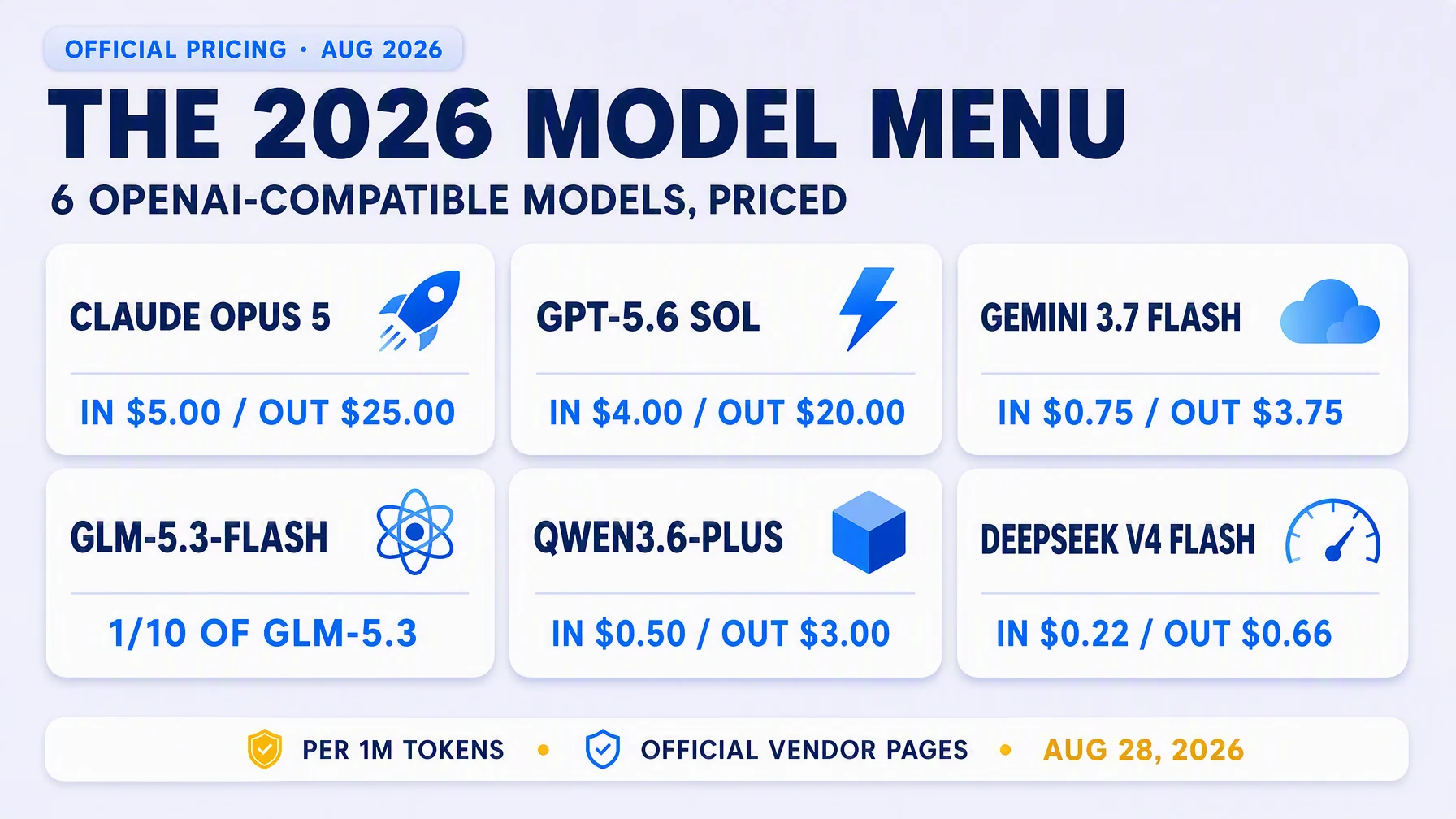
Per Google's official pricing page, Gemini 3.7 Flash on the Standard tier is $0.75 per 1M input tokens and $3.75 per 1M output tokens through December 31, 2026 — after that the rates double to $1.50/$7.50. A free tier exists for both Standard and Priority, with feature limits; it's enough to try the model, but expect limits under heavy use. Output for summaries, translations and transcript processing tends to be short relative to input, so the numbers generally stay small; check the official page for the current figures.
Long-context economics
The real charm here: full-hour video transcripts and very long documents both fit comfortably inside the 1M window — no splitting, no truncation. Glarity hands the whole thing to the model in one go, and summaries come back with the beginning and end of the document in view, which improves faithfulness on long pieces.
What a Gemini-powered Glarity can do
Capability | How it behaves now |
|---|---|
Translation | Immersive page translation and side-by-side subtitles — see the bilingual subtitle tutorial |
Page summary | Whole documents summarized, including very long pages |
YouTube summary | Timestamped highlights and FAQ from full transcripts |
Video subtitles | Subtitles generated and translated into your language |
Quick email reply | Drafts in the tone and language you want |
One-click prompts | Saved tasks re-run on your own model |
Troubleshooting
- Test returns 401 / invalid key — the key is wrong or spaces crept in. Create a fresh key in AI Studio.
- Frequent 429 / quota errors — you're on the free tier quota or a busy period. Wait, or consider upgrading via the AI Studio console.
- "Model not found" — check the exact spelling
gemini-3.7-flash. - Costs jump in 2027 — yes: promotional rates end December 31, 2026; budget accordingly, or switch models in Glarity's Model field later.
- Nothing changes after saving — confirm you pressed Save after Test.
FAQ
Does Gemini 3.7 Flash do translation or just summaries? Both — one connected model covers Glarity's page translation, selection translation, subtitle translation and summaries.
Is the free tier enough? For occasional use, yes. For daily reading workflows, the paid tier's promotional rates are still very cheap.
Why 1M context instead of a smaller window? Long pages and hour-long transcripts fit whole — no splitting, no dropped context. If you never process long documents, any model works; the big window is the reason to pick Flash.
Can I switch to a Pro model later? Yes — edit the Model field and keep the same host and path; the compatible endpoint serves Google's Gemini-family models.
Is the OpenAI-compatible endpoint stable enough for regular use? Google documents it as beta, but it's the standard path for third-party clients like Glarity; testing with a real page first is the safest way to know.
Glarity's editorial team covers AI search, video summaries, and browser productivity tips.
Glarity is a free browser extension that supports AI search and YouTube video summaries, available at glarity.app.