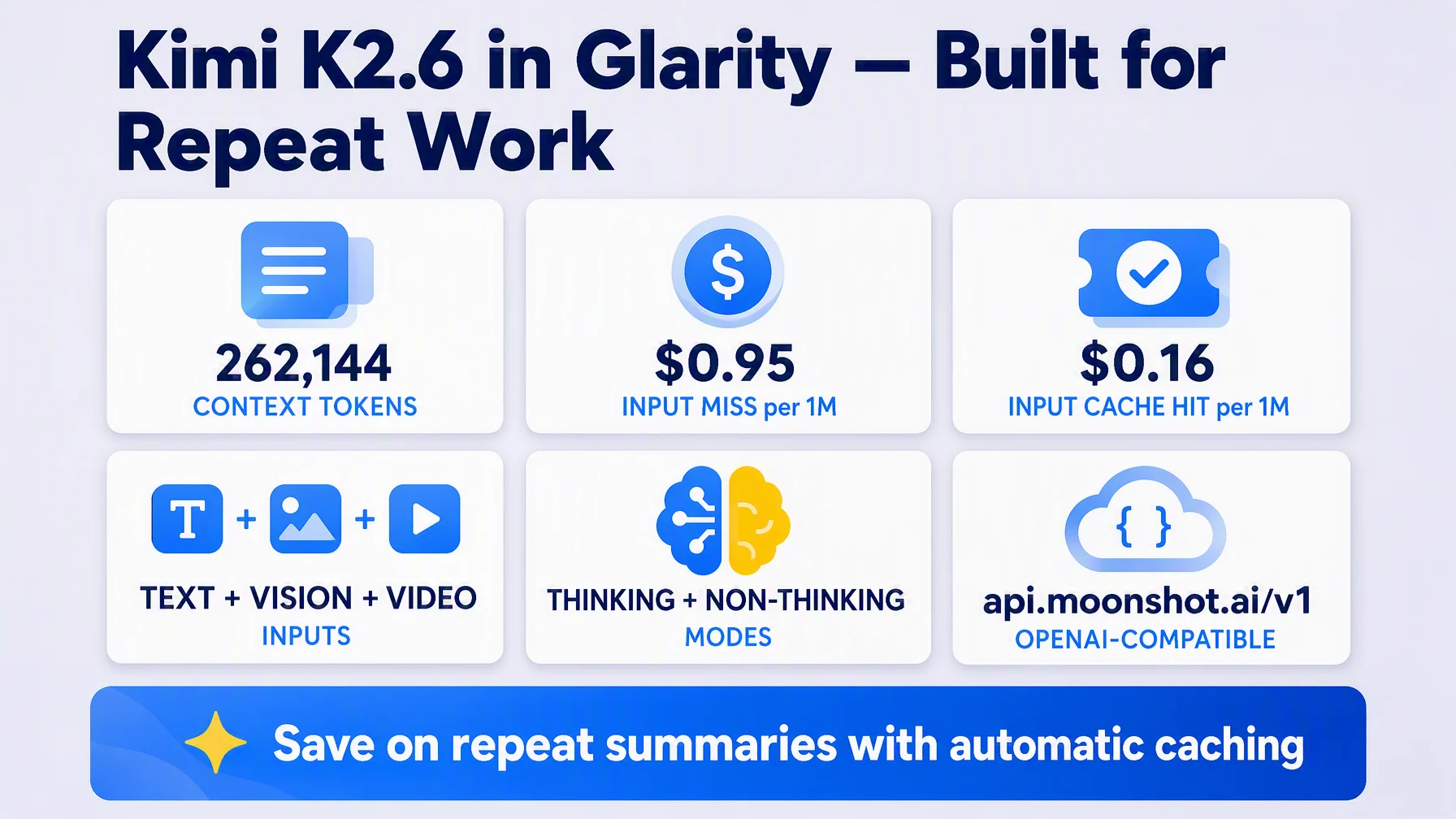
Kimi K2.6 is Moonshot's general-purpose model with a 262,144-token window and one feature that quietly saves money on exactly Glarity-type workloads: automatic cache hits on repeated input — $0.16 per 1M tokens instead of $0.95. Wire it into Glarity in about five minutes: Settings → General, choose OpenAI API key, paste a Moonshot key, enter the model and the host/path pair from api.moonshot.ai, and save.
Why Moonshot's K2.6
Moonshot AI splits its lineup by job: kimi-k3 is the 1M-context flagship for deep work, while the K2 family — where kimi-k2.6 lives — is designed for routine, high-volume chores like translation and summarization. K2.6 takes text, image and video input, fits a very long page or a full episode transcript (262,144 tokens — enough for a whole long-form document), and is priced for the high-volume jobs an extension does all day, well below the flagship K3.
What you need before you start
- A key from the Kimi developer platform — Moonshot's official developer console (a small minimum top-up activates the account).
- The connection values below.
Configure Glarity step by step
Open Settings → General, scroll to Connect to AI for quick Glarity summaries and translations.
- Select "OpenAI API key".
- Paste your Moonshot API key into the API Key field.
- Model — choose Custom Model and enter
kimi-k2.6. - Model Context Window — pick the preset nearest to 262,144 tokens (the official window).
- API Host —
https://api.moonshot.ai/v1(Moonshot's OpenAI-compatible API; the console shows the exact base URL for your account). - API Path —
/chat/completions. - Temperature — 0.5. K2.6 also ships fixed-temperature modes for workflow consistency; in Glarity, 0.5 is a solid default.
- Test, then Save.
Settings at a glance
Field | Value | Meaning |
|---|---|---|
Connection | OpenAI API key | via Moonshot's compatible API |
Model | Custom Model — | Text + vision + video input, thinking/non-thinking |
Model Context Window | 262,144 tokens (preset as available) | Official context window |
API Host |
| Official OpenAI-compatible API |
API Path |
| Chat Completions route |
Temperature | 0.5 | Stable default; fixed modes also exist |
Pricing and the caching way to save
Per Moonshot's official pricing: kimi-k2.6 bills $0.95 per 1M input tokens (cache miss), $0.16 per 1M (cache hit), and $4.00 per 1M output tokens. The caching is automatic: stable prompt prefixes get cached without configuration, so when you summarize the same page twice or run prompt templates, the second pass bills mostly at the hit rate. If you want the 1M-context flagship later, kimi-k3 is the same host, different model name; check the official pricing pages for current numbers.
What a Kimi-powered Glarity can do
Capability | How it behaves now |
|---|---|
Translation | Immersive page translation and side-by-side subtitles — see the bilingual subtitle tutorial |
Page summary | Summaries with multi-turn follow-up questions |
YouTube summary | Timestamped highlights and FAQ from transcripts |
Video subtitles | Subtitles generated and translated into your language |
Quick email reply | Drafts in the tone and language you want |
One-click prompts | Saved tasks re-run on your own model |
Troubleshooting
- Test returns 401 — key wrong, expired, or account not activated (minimum top-up). Console is the place.
- "Model not found" — use exactly
kimi-k2.6(dot, not dash). - Localization/region errors — keep the key and base URL from the same platform (kimi/moonshot international console with
api.moonshot.ai). - Cache lines in your invoice look odd? — automatic caching means repeat reads show the $0.16 rate; that's the feature working, not a bug.
- Nothing changes after saving — confirm you pressed Save after Test.
FAQ
Is K2.6 a good first model for Glarity? For translation and summarization, yes — it's Moonshot's explicitly routine-work tier, priced for it, and 262k tokens covers long-for-web documents.
Does it work for translation or only summaries? Both: page translation, selection translation, subtitle translation and summaries all run through the connected model.
What's the K3 alternative? kimi-k3 has the 1M context and flagship quality at higher rates; you can switch Glarity's Model field to it on the same host/path later.
Why does caching matter for a browser extension? Because you re-summarize similar content daily — same template, same system prompt, same page over time. Cached prefixes cost ~1/6 of fresh input, so repeat workflows bill much lighter.
Is the connection test needed? It's the fastest way to catch a wrong host or model name; cheap insurance before you rely on it.
Glarity's editorial team covers AI search, video summaries, and browser productivity tips.
Glarity is a free browser extension that supports AI search and YouTube video summaries, available at glarity.app.