If you translate between Chinese, Japanese, Korean and English — or any mix of Asia's major languages — Qwen3.6-Plus is an easy sell: a 1M-token context window, an OpenAI-compatible endpoint straight from Alibaba Cloud Model Studio, and an international rate of $0.50 per 1M input tokens. Wiring it into Glarity takes five minutes: Settings → General, choose OpenAI API key, paste your DashScope key, enter the model name, context window, host and path, and save.
Why Alibaba's Qwen3.6-Plus
Qwen is Alibaba's open-weight model family, widely used across Asia for multilingual work — its training data carries unusually strong coverage of Chinese, Japanese and Korean, so renditions of idioms, honorific registers and technical terms come out more natural than with Eurocentric models. Qwen3.6-Plus (the April 2026 snapshot is the current international release) is the balanced tier: serious quality at a low rate, with a full 1M-token window when you need whole books or hour-long transcripts.
What you need before you start
- A DashScope API key from Alibaba Cloud Model Studio — create it in the Model Studio console (international/Singapore region).
- The connection values below.
Configure Glarity step by step
Open Settings → General, scroll to Connect to AI for quick Glarity summaries and translations.
- Select "OpenAI API key".
- Paste your DashScope API key into the API Key field.
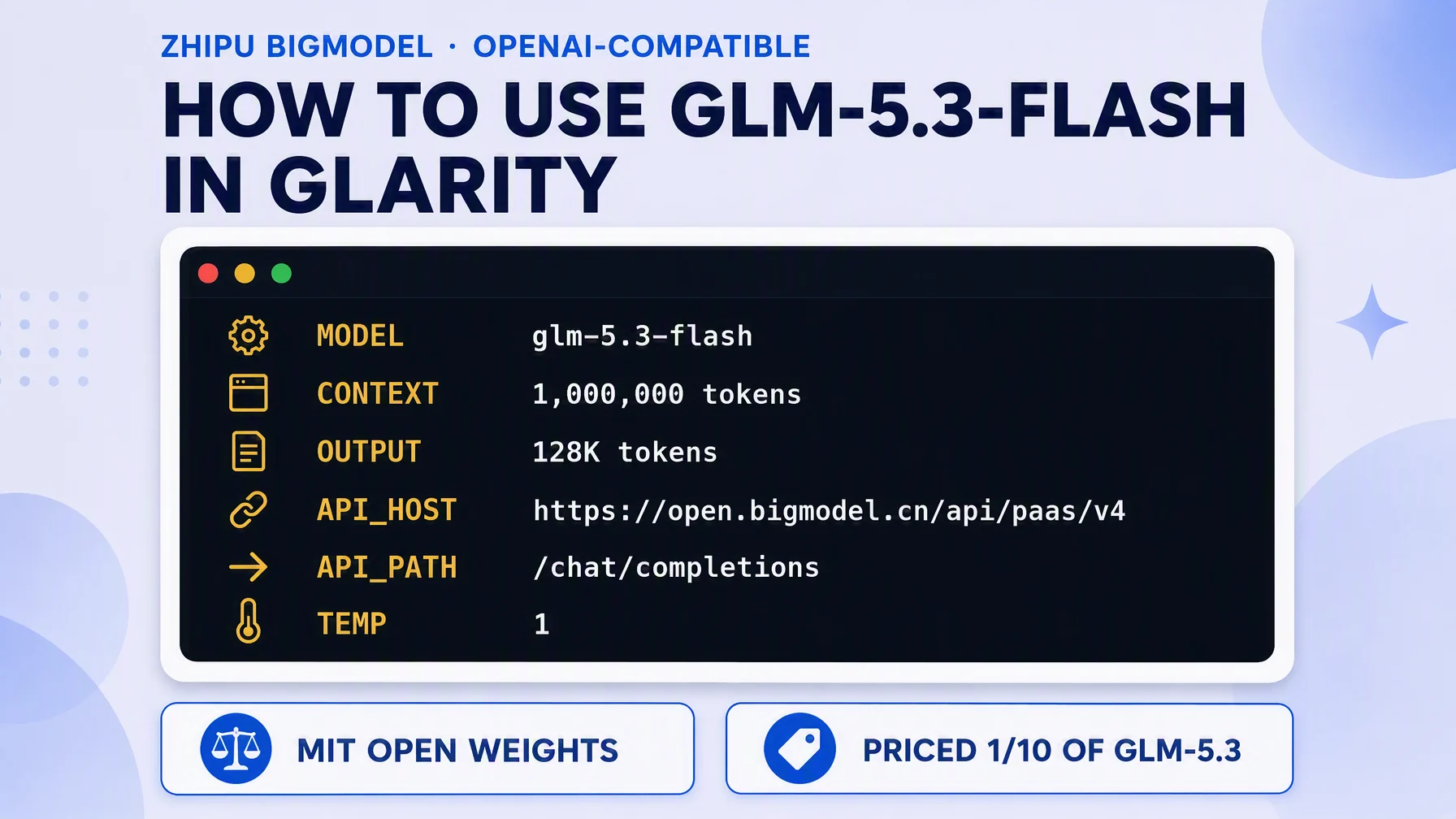
- Model — choose Custom Model and enter
qwen3.6-plus. - Model Context Window — pick the preset nearest to 1,000,000 tokens (the official input ceiling). Everyday pages and transcripts fit with room to spare.
- API Host —
https://dashscope-intl.aliyuncs.com/compatible-mode/v1— Alibaba's official OpenAI-compatible endpoint for the international region (Alibaba also supports a workspace-specific domain for their newer regions; the classic one keeps working). - API Path —
/chat/completions. - Temperature — 0.5. Lower toward 0.2 for strict, repeatable translations.
- Test, then Save.
Settings at a glance
Field | Value | Meaning |
|---|---|---|
Connection | OpenAI API key | via DashScope compatible mode |
Model | Custom Model — | International release of the balanced Qwen tier |
Model Context Window | 1,000,000 tokens (preset as available) | Official input ceiling |
API Host |
| Official international OpenAI-compatible base |
API Path |
| Chat Completions route |
Temperature | 0.5 | Stable output; lower for strictness |
Pricing, and the 256k line
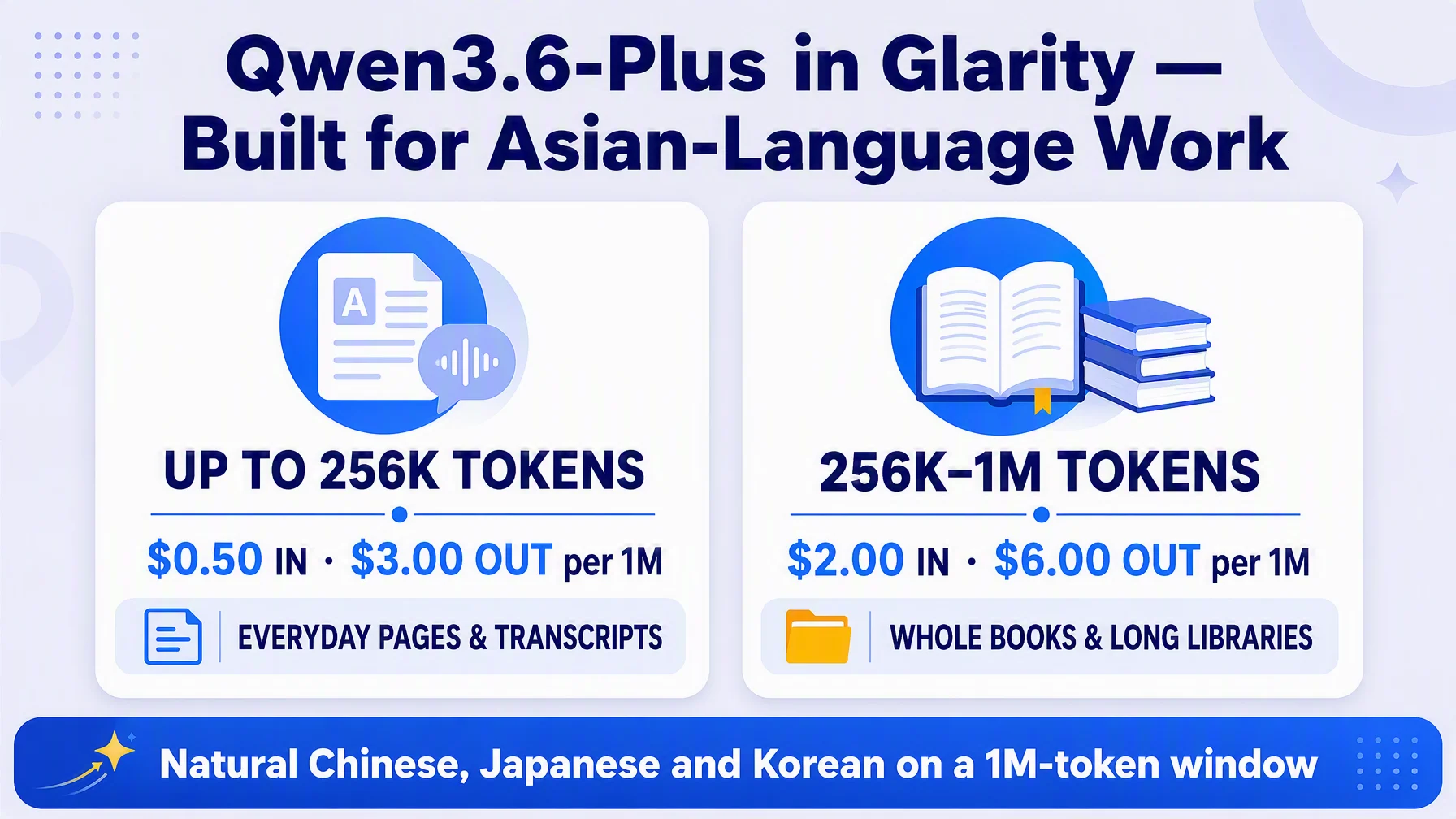
Per Alibaba Cloud's official Model Studio pricing for Singapore (international): qwen3.6-plus is $0.50 per 1M input tokens and $3.00 per 1M output tokens for inputs up to 256k tokens; over 256k and up to 1M it steps to $2.00/$6.00 per 1M. So there's a real financial reason to keep most requests under 256k — which is where nearly every page and video transcript lives anyway. If you want the open-source tier at rock-bottom rates instead, qwen3-30b-a3b-instruct-2507 runs at $0.20/$0.80 per 1M. Check the official page for current figures.
What a Qwen-powered Glarity can do
Capability | How it behaves now |
|---|---|
Translation | Immersive page translation and side-by-side subtitles — see the bilingual subtitle tutorial |
Page summary | Summaries with natural East-Asian language flow |
YouTube summary | Timestamped highlights and FAQ from transcripts |
Video subtitles | Subtitles generated and translated into your language |
Quick email reply | Drafts in the right register for each language |
One-click prompts | Saved tasks re-run on your own model |
Troubleshooting
- Test returns 401 — check the key came from the same region as the host (international keys with the international base). Recreate at Model Studio.
- "Model not found" — use exactly
qwen3.6-plus; older names likeqwen-plusare fine but not the subject here. - Input rejected at 300k+ tokens — over-256k inputs are supported up to 1M but billed at the higher tier; verify the tier changed only if you intentionally go long on huge documents.
- Region mismatch errors — a China-region key will not pass against the international host; create the key in the international console.
- Nothing changes after saving — confirm you pressed Save after Test.
FAQ
Is Qwen3.6-Plus open source? The Qwen3 family is open-weight; check Alibaba's official release announcement or repositories for exact licensing. Using it in Glarity via the paid API is the zero-setup path.
Why is it particularly good for Asian languages? Its training corpus and tuning target Chinese, Japanese and Korean content in depth — that's where it outshines models tuned mostly on English text.
Does it translate and summarize both? Both — the connected model powers page translation, selection translation, subtitle translation and summaries.
Do I have to use the Singapore endpoint? The international OpenAI-compatible base is dashscope-intl.aliyuncs.com; China-region keys use dashscope.aliyuncs.com. Match key and host region.
Does big context cost more? Only above 256k input tokens per request — the tier jumps from $0.50/$3.00 to $2.00/$6.00 per 1M. Keep pages and transcripts in the everyday zone and you'll stay cheap.
Glarity's editorial team covers AI search, video summaries, and browser productivity tips.
Glarity is a free browser extension that supports AI search and YouTube video summaries, available at glarity.app.