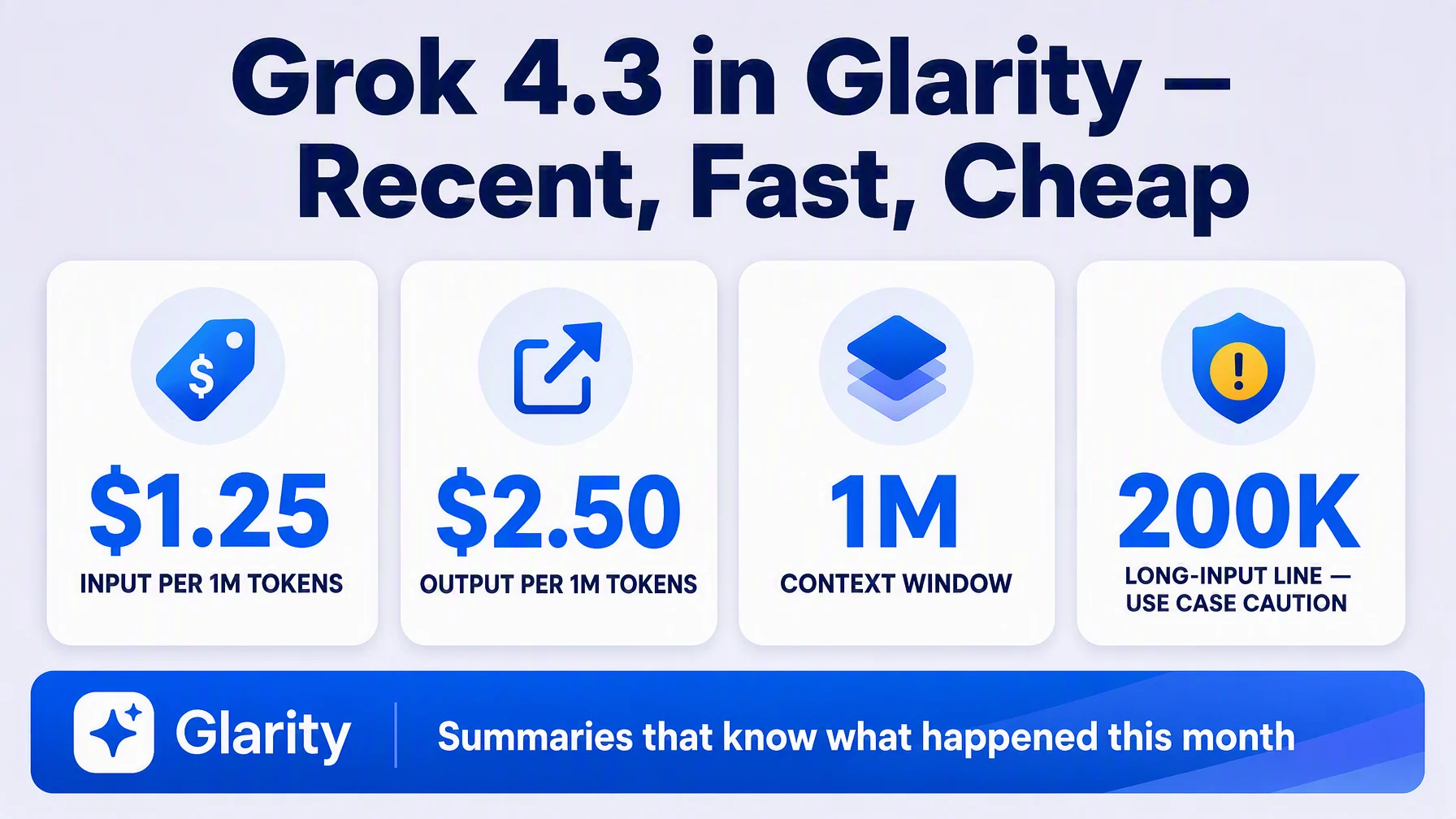
Grok 4.3 is xAI's workhorse: a 1M-token context window, pricing that's half of xAI's flagship, and one of the freshest knowledge cutoffs in the market — which matters when you summarize pages about fast-moving topics. It plugs into Glarity in about five minutes: in Settings → General, choose OpenAI API key, paste an xAI key, fill in the model name, context window, host and path against api.x.ai, and save.
Why Grok 4.3
xAI's lineup is split between the flagship grok-4.6 and the value tier that is grok-4.3, with the same 1M-token window and current knowledge at roughly half the price. For an extension that summarizes news, changelogs and trending discussions, recent training data matters more than raw benchmark placement — and Grok models are also tuned for speed, so translations and summaries return fast even on long pages.
What you need before you start
- A key from console.x.ai — xAI's official developer console.
- The connection values below.
Configure Glarity step by step
Open Settings → General, scroll to Connect to AI for quick Glarity summaries and translations.
- Select "OpenAI API key".
- Paste your xAI API key into the API Key field.
- Model — choose Custom Model and enter
grok-4.3. (xAI retired the oldgrok-4IDs and routes them to 4.3; use the explicit name.) - Model Context Window — pick the preset nearest to 1,000,000 tokens (the official window).
- API Host —
https://api.x.ai/v1(xAI's official API base, OpenAI-SDK compatible). - API Path —
/chat/completions. - Temperature — 0.5. A stable middle value; drop it toward 0.2 for more literal, repeatable summaries.
- Test, then Save.
Settings at a glance
Field | Value | Meaning |
|---|---|---|
Connection | OpenAI API key | via xAI's compatible API |
Model | Custom Model — | xAI's value-flagship: 1M context |
Model Context Window | 1,000,000 tokens (preset as available) | Official context window |
API Host |
| xAI official API base |
API Path |
| Chat Completions route |
Temperature | 0.5 | Stable output; lower if too loose |
Pricing, with a long-input warning
Per xAI's official pricing page: grok-4.3 costs $1.25 per 1M input tokens and $2.50 per 1M output tokens (cached input $0.20) for prompts under 200k tokens. If a prompt reaches 200k tokens, the whole request is billed at the higher rate — $2.50 input / $5.00 output per 1M — so for marathon transcripts, it can pay to keep inputs under that line. Typical Glarity requests — one page summary, one transcript — land far below 200k, and a day of casual use stays well under a dollar.
What a Grok-powered Glarity can do
Capability | How it behaves now |
|---|---|
Translation | Immersive page translation and side-by-side subtitles — see the bilingual subtitle tutorial |
Page summary | Current, fast summaries — including pages about new products and breaking news |
YouTube summary | Timestamped highlights and FAQ from transcripts |
Video subtitles | Subtitles generated and translated into your language |
Quick email reply | Drafts in the tone and language you want |
One-click prompts | Saved tasks re-run on the model of your choice |
Troubleshooting
- Test returns 401 — key wrong or expired. Create a fresh one at console.x.ai.
- "Model not found" — use exactly
grok-4.3; the bare IDs likegrok-4now redirect. - Costs higher than expected — check if an input crossed 200,000 tokens (whole request bills at the long-context rate).
- Responses are slow at peak — xAI load varies; retry after a moment.
- Nothing changes after saving — confirm you pressed Save after Test.
FAQ
Is Grok good at translation or only at answering questions? Both — the connected model powers page translation, selection translation, subtitle translation and summaries in one go.
What makes Grok 4.3 different from the DeepSeek tutorial you also published? Different vendor, different tuning: DeepSeek V4 Flash guides you through the same Glarity settings with a Chinese-vendor twist; Grok 4.3 wins on training-data recency and speed. Both are excellent for the translate-and-summarize job.
How cheap is it really? At $1.25 per 1M input tokens, a normal page is a small fraction of a cent; the FAQs of long transcripts are where the 200k threshold matters.
Can I switch to grok-4.6 later? Yes — edit the Model field and keep the same host and path.
Do I need the Test button? Not strictly, but it catches a typo in model name or host before you rely on it.
Glarity's editorial team covers AI search, video summaries, and browser productivity tips.
Glarity is a free browser extension that supports AI search and YouTube video summaries, available at glarity.app.